

Diagrams
Three diagrams explain Limen from the top down. Each is a committed draw.io source plus an exported SVG.
1. How Limen works
Section titled “1. How Limen works”The big picture on AWS: who connects, the one public entry point, the proxies and control planes in the Limen VPC, the outbound-only workers next to your targets, and where state, keys, and the audit trail live. Numbers 1 to 6 match the captions under the picture.
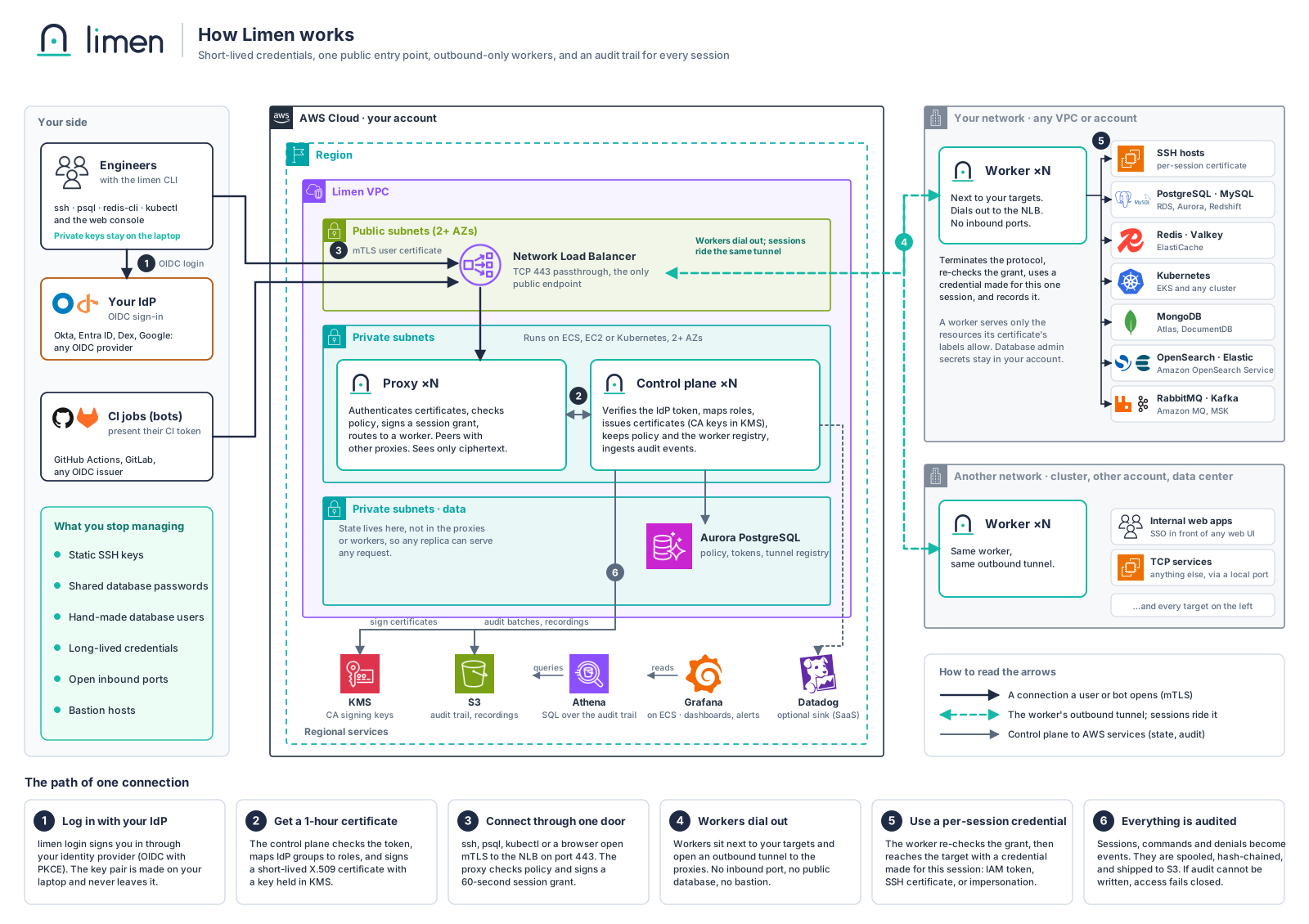
Source: architecture.drawio. Related text: design §2, §3, §6.
2. What happens when you run limen ssh prod-db
Section titled “2. What happens when you run limen ssh prod-db”One login and one connection, step by step, with the check each component makes and the credential it uses.
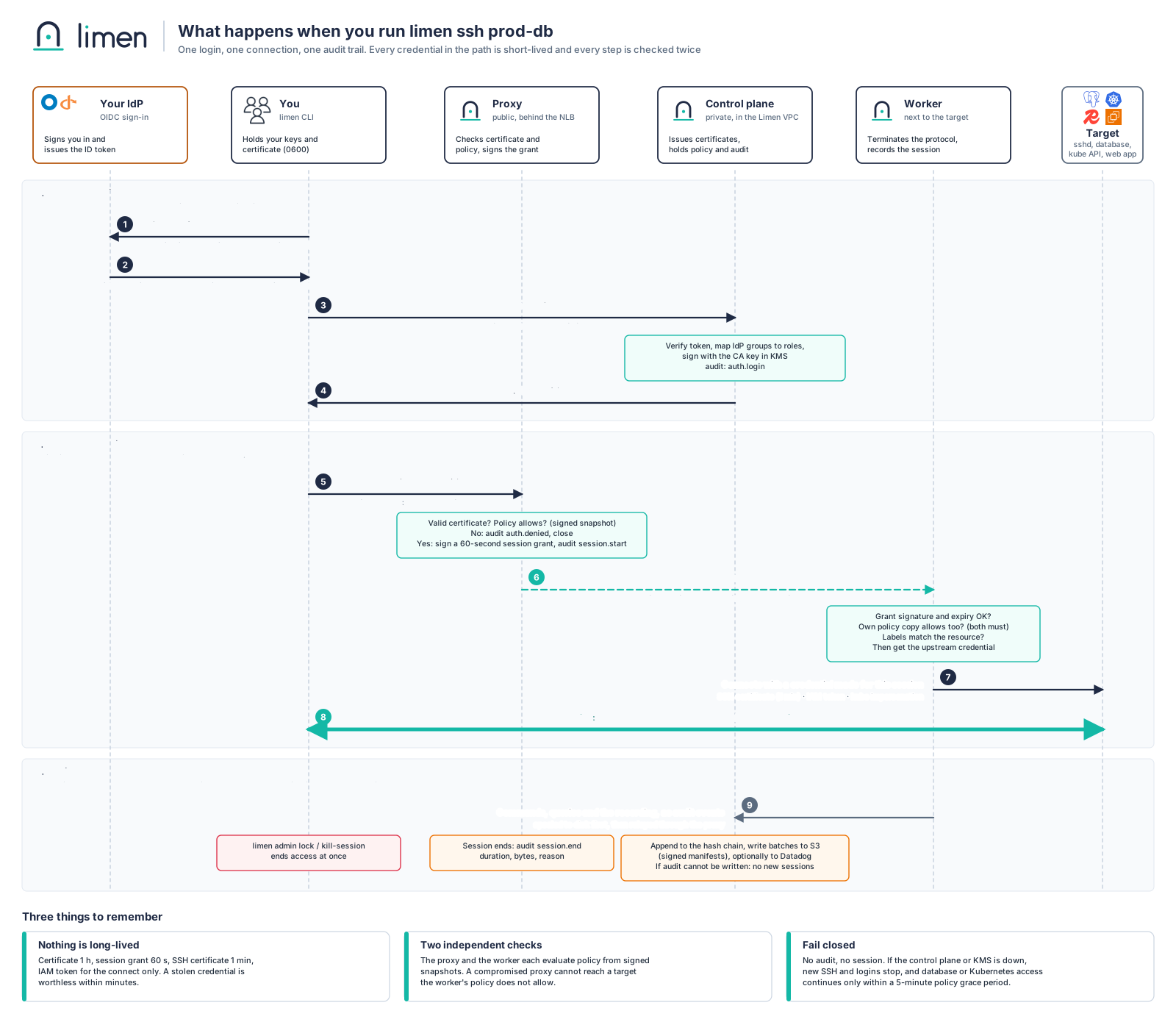
Source: connection-flow.drawio. Related text: design §4 and §5.
3. Trust, audit, and failure
Section titled “3. Trust, audit, and failure”Which keys sign what and how long each credential lives, the path of an audit event from the process that emits it to S3, Datadog, and Grafana, and what keeps working when a dependency is down.
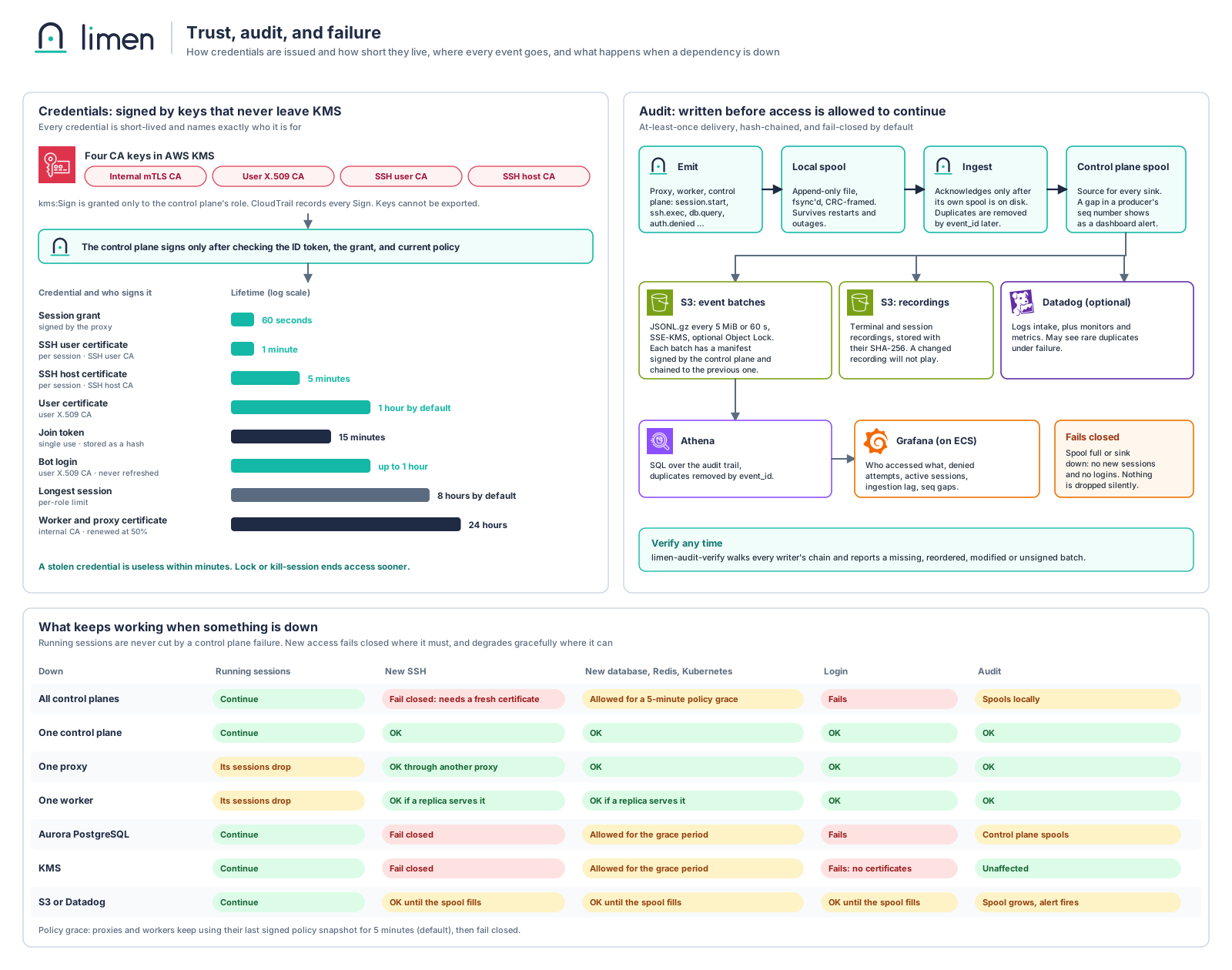
Source: trust-and-audit.drawio. Related text: design §8, §9, and the threat model.
Editing
Section titled “Editing”Open the .drawio file in diagrams.net (or the VS Code extension), edit, then export as SVG over the matching .svg and commit both. Keep the diagrams in step with design.md: when a flow, TTL, or failure behavior changes there, change it here in the same pull request.
AWS service icons are from the AWS Architecture Icons set. Other logos (Datadog, Grafana, Okta, OpenID, GitHub, GitLab, PostgreSQL, MySQL, Redis, MongoDB, Kubernetes, OpenSearch, Elasticsearch, RabbitMQ, Kafka) are from Simple Icons. All are trademarks of their owners, shown only to name the product, and imply no endorsement. A managed-service variant waits until a managed offering is decided.